Solar Panel Placement Tool: How Australian Solar Businesses Get Designs Right First Time
Getting solar panel placement wrong costs time and money. An inaccurate roof layout means re-quoting, re-designing, or worse — an install that underperforms what was promised to the client. A proper solar panel placement tool removes that guesswork and gives your design team a repeatable, accurate process from the first site assessment through to the finished proposal.
This article covers what a solar panel placement tool actually does, what to look for when choosing one, and how SolarHub CRM integrates design directly into quoting and job management for Australian solar businesses.
Why Panel Placement Matters More Than Most Solar Businesses Realise
Panel placement is not just about fitting as many panels as possible on a roof. The variables that affect system output include:
- Orientation and tilt: North-facing panels at the correct tilt angle for the local latitude produce significantly more energy than east or west-facing arrays. In most Australian states, the optimal tilt sits between 20 and 35 degrees depending on location.
- Shading: A single shaded panel in a string can drag down output for the entire string. Chimneys, skylights, air conditioning units, and neighbouring trees all need to be accounted for in the design.
- Roof structure: Vents, ridgelines, and setback requirements from roof edges limit usable space. A design that ignores these factors will need to be revised after the site visit, which delays the job.
- Future load planning: If a client is likely to add battery storage, an EV charger, or a heat pump within the next few years, the system size needs to account for that now rather than requiring a separate upgrade job later.
When these factors are built into the design tool from the start, your team produces more accurate quotes and avoids the back-and-forth that comes from designs that do not reflect site conditions.
What a Solar Panel Placement Tool Actually Does
A solar panel placement tool gives your design team a digital workspace to map, position, and analyse a rooftop system before anyone goes on site. The core functions include:
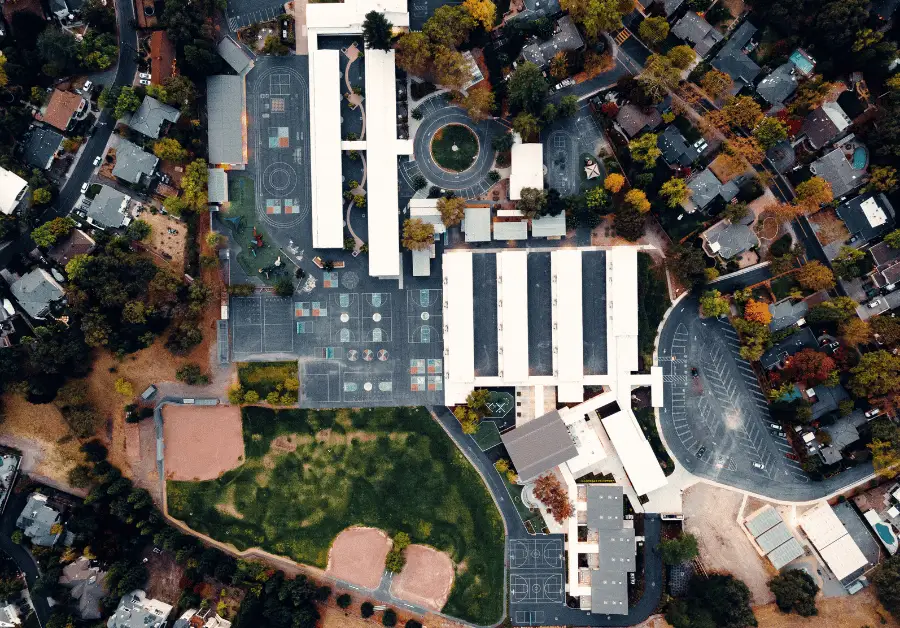
- Satellite and aerial mapping: Pulls high-resolution imagery of the property so your team can work from an accurate roof plan without a physical site visit for the initial design.
- Drag-and-drop panel layout: Lets your designer position panels across roof sections, adjust for obstructions, and split arrays across multiple roof faces.
- Shading simulation: Models shadow movement across the roof at different times of day and across seasons, identifying which panel positions will be affected and by how much.
- Energy output estimates: Calculates estimated annual generation based on the layout, local solar irradiance data, and system configuration.
- Battery and inverter sizing: Helps determine the right system configuration based on consumption data and the chosen panel layout.
- Savings and ROI modelling: Feeds output figures into financial calculations so the proposal shows the client a realistic payback period and bill savings estimate.
The key difference between a basic layout tool and a purpose-built platform is what happens after the design is done. In SolarHub CRM, the design output feeds directly into the quote so your rep does not have to re-enter panel counts, system size, or generation estimates manually. For more on how this works end-to-end, see the overview of solar panel design software for Australian businesses.
Key Features to Look for in a Solar Panel Placement Tool
1. Accurate Roof Mapping
Satellite imagery quality varies significantly between tools. Look for high-resolution imagery with Lidar data support where available, particularly for complex commercial rooftops where roof pitch, multiple levels, and large obstructions make accurate panel placement harder. A tool that relies on low-resolution imagery will produce designs that regularly need revision after the site visit.
2. Dynamic Shading Analysis
Static shading analysis gives you a snapshot. Dynamic shading simulation models shadow movement across the full year and shows you how shading at different times of day and different seasons affects system output. For residential jobs this can be the difference between recommending a microinverter setup versus a string inverter setup, which has a direct impact on system cost and proposal accuracy.
3. Direct Connection to Quoting
If your design tool and your quoting tool are separate, your team is manually transferring data between them. That adds time and introduces errors. Using integrated solar quoting software that connects directly to your design output means the proposal is built from the same figures as the design — no re-entry, no mismatches.
4. Proposal Output Built In
A solar panel placement tool that also generates the client-facing proposal saves your team a separate step. The design becomes the proposal, with branded templates, financial modelling, and system specifications pulled through automatically. This is how teams using solar proposal software send complete, professional documents within minutes of finishing a design.
5. Lead and Pipeline Tracking
The design is only useful if the lead it belongs to is being tracked properly. A platform that connects your design tool to your CRM means every design is linked to a contact record, a lead stage, and a follow-up task. Dedicated solar lead management software prevents designs from being completed and then forgotten because no follow-up was scheduled.
Basic Layout Tool vs Integrated Platform: A Comparison
Many solar businesses start with a free or low-cost layout tool and then manage everything else in spreadsheets or a separate CRM. Here is how that compares to an integrated platform:
| Feature | Basic Layout Tool | SolarHub CRM (Integrated Platform) |
|---|---|---|
| Roof Mapping | Basic satellite imagery, limited accuracy on complex rooftops. | High-resolution imagery with Lidar support and 3D modelling for accurate placement. |
| Shading Analysis | Basic or manual. Does not model seasonal shadow movement. | Dynamic year-round shading simulation across all roof sections. |
| Design to Quote | Manual transfer of figures from design tool to separate quoting tool. | Design output feeds directly into branded proposal templates. No re-entry required. |
| Financial Modelling | Basic or not included. Requires separate calculation. | Payback period, bill savings, and ROI built into the proposal from design data. |
| Lead Tracking | Not included. Requires a separate CRM. | Design linked to contact record, lead stage, and follow-up task automatically. |
| Job Management | Not included. Requires a separate project management tool. | Signed jobs move into crew scheduling and compliance tracking within the same platform. |
How to Run a Consistent Design-to-Quote Workflow
For a 5 to 15 person solar retail or installation team, a consistent design-to-quote process looks like this:
- Sales rep captures lead from web form, phone enquiry, or referral and logs it in the CRM.
- Rep or design team opens the placement tool, maps the rooftop using satellite imagery, and positions panels accounting for shading and roof obstructions.
- Tool generates energy output estimate and system sizing recommendation.
- Design data flows automatically into the quote template with pre-set pricing for the chosen panels, inverter, and battery (if applicable).
- Rep reviews the proposal, adjusts margin if needed, and sends it to the client directly from the CRM.
- Client receives a signing link and approves the proposal digitally.
- Signed job moves into the install schedule with all design and contract documents attached.
For teams managing higher quote volumes, this process also connects to broader solar project management workflows that track the install from signed contract through to grid connection and handover.
Frequently Asked Questions
Are free online solar panel placement tools accurate enough for professional use?
Free tools can give a rough estimate of roof capacity and orientation, but they typically lack dynamic shading analysis, Lidar-based mapping, and any connection to quoting or CRM systems. For a solar business producing 10 to 50 quotes per month, a free tool creates more admin work because the design output has to be manually transferred into every other step of the sales process.
What is the best panel orientation for Australian rooftops?
North-facing panels produce the highest year-round output in Australia. East and west-facing orientations produce less total energy but can be useful for clients who want to offset morning or afternoon consumption specifically. Most placement tools will show you the estimated output difference between orientations so you can present the options clearly in the proposal.
How does shading analysis affect system design decisions?
If shading affects more than a small portion of the array, a string inverter configuration will underperform because one shaded panel reduces output for the entire string. Dynamic shading analysis helps you identify whether the site needs microinverters or DC optimisers, which affects the quote price. Getting this wrong at the design stage means either over-promising performance or having to re-quote after a site visit.
Can the same tool handle residential and commercial jobs?
Yes. SolarHub CRM handles both. Commercial jobs typically involve larger roof areas, multiple array orientations, consumption data analysis, and more detailed financial modelling. The platform supports all of these within the same design and quoting workflow, so your team does not need a separate tool for commercial work.
How long does setup take for a solar business?
For a standard solar retail or installation team of 5 to 15 people, setup including product library configuration, template setup, and team training typically takes 1 to 2 weeks. SolarHub CRM provides priority phone and email support throughout the onboarding process.
Get Accurate Designs and Faster Quotes in One Workflow
If your design process and quoting process are still separate, your team is doing double the work on every job. A platform that connects panel placement, proposal generation, e-signature, and job tracking means less admin per quote and fewer errors between what was designed and what was promised. Visit solarhubcrm.com.au to book a demo or contact the team via the website.