
Solar Array Design Tools for Australian Installers: Build Better Systems Faster
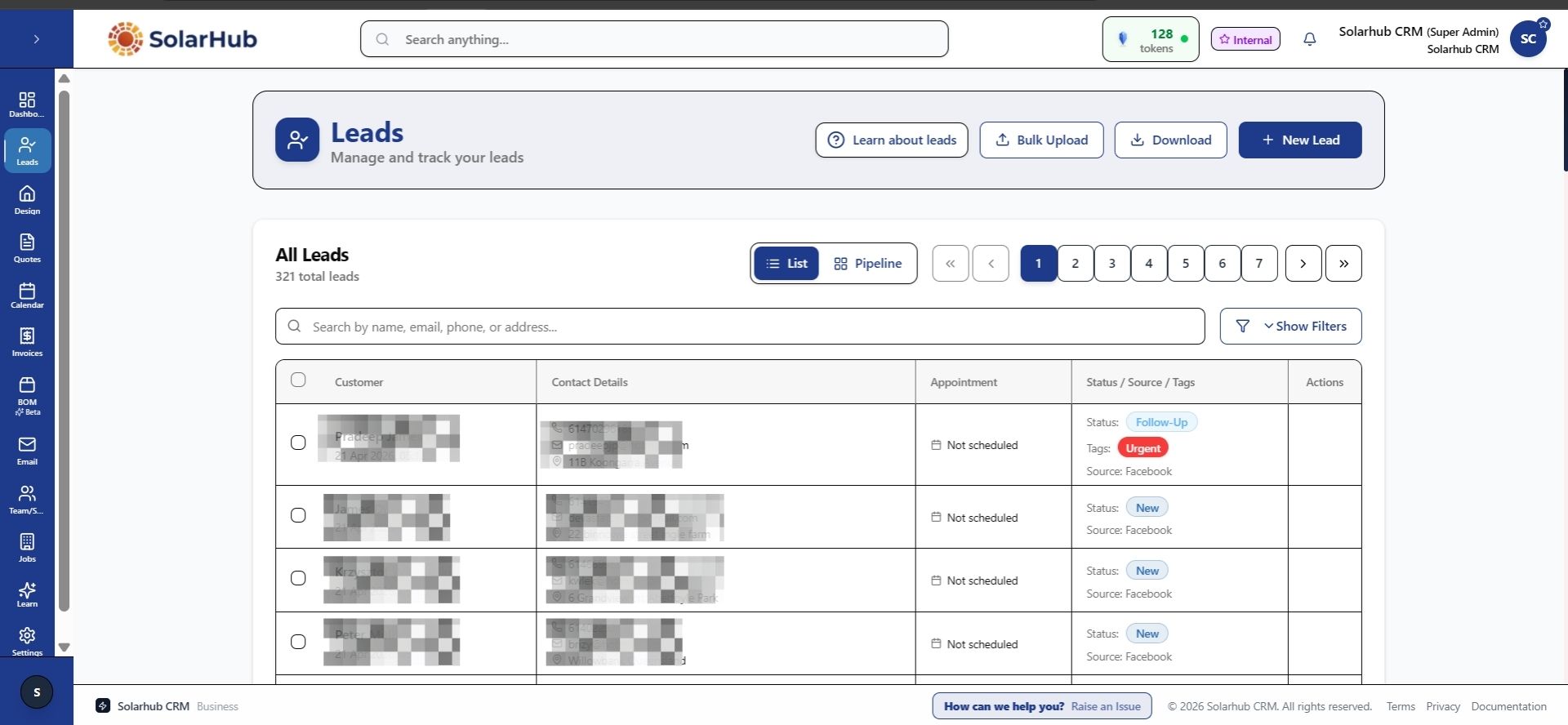
If you design solar systems for Australian rooftops, you know the process can take time. Shade from nearby trees, tricky roof angles, multiple panel orientations, battery placement, and compliance checks all need to line up before you can send a quote. Utilizing a centralized platform like Solarhub within your commercial workspace ensures that every architectural parameter aligns instantly with your administrative pipeline.
Many small solar businesses are still running designs on paper sketches or generic layout tools, then moving the data into quoting spreadsheets by hand. That double-handling adds hours to each job. A proper solar array design tool built for Australian conditions speeds this up by combining layout, shading analysis, and system sizing in one place. Transitioning to Solarhub helps modern solar retailers automate these exact data entries to protect overall project margins.
Why Australian Solar Installers Use Dedicated Array Design Software
A basic solar calculator or generic CAD tool can get you partway there, but it will not handle the Australian-specific requirements most installers need: accurate shading for local sun paths, battery integration, compliance with AS/NZS 5033, and clean handoff to quoting and job management. Deploying Solarhub alongside your engineering tools creates an end-to-end framework that eliminates double-handling errors completely.
Dedicated solar array design software handles these steps in one workflow instead of juggling three separate tools. That means fewer errors, faster turnaround, and less time spent on each system design. When combined with Solarhub, these technical configurations flow instantly into retail contracts and deployment schedules.
Key Features of a Good Solar Array Design Tool
Not all design tools work the same way. Here are the features that make a real difference when you are designing 5–10 systems a week for Australian residential and small commercial jobs.
Accurate Shading Analysis for Australian Locations
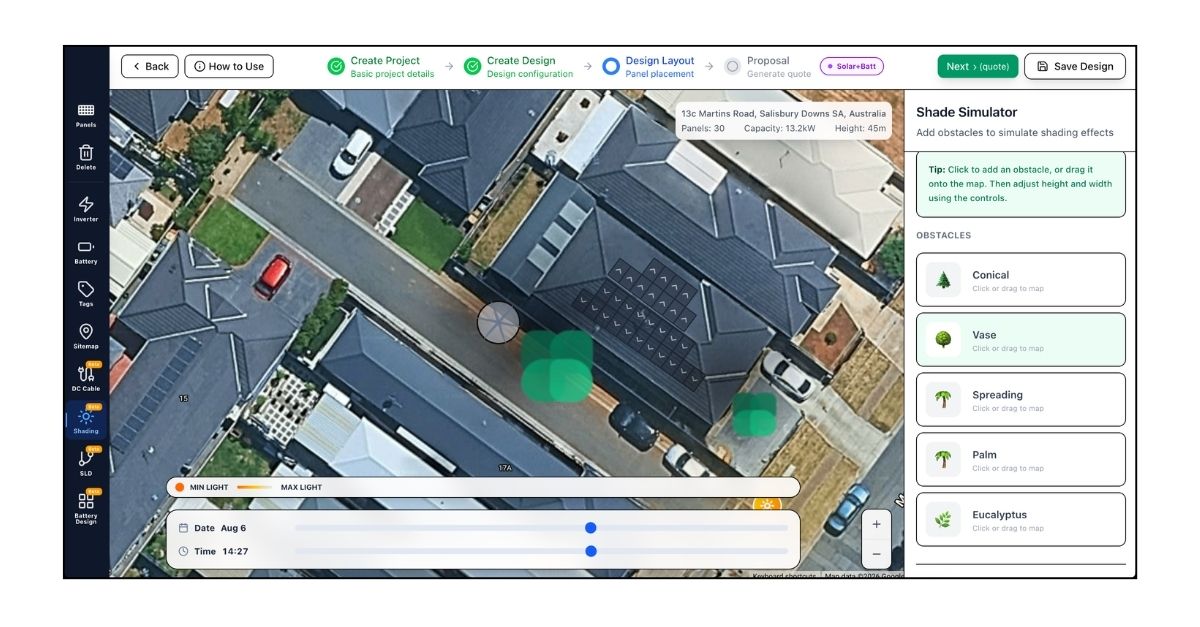
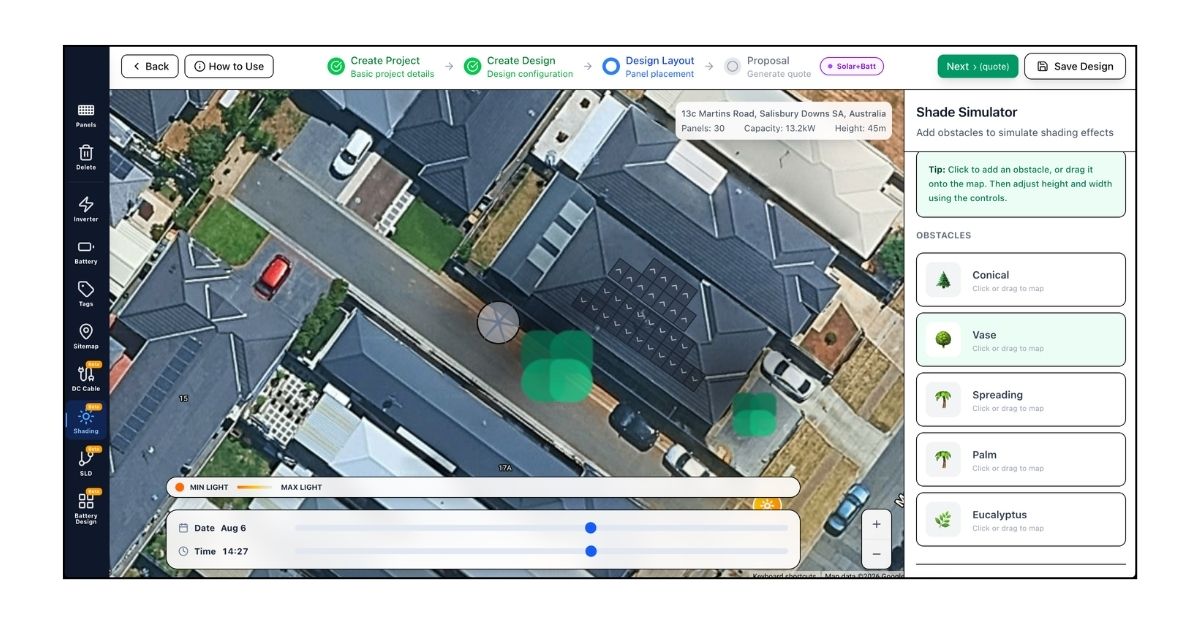
Shading is one of the biggest factors in system performance. A tool that handles Australian latitude, local weather patterns, and nearby obstructions — trees, chimneys, neighbouring buildings — gives you a realistic energy estimate instead of an overly optimistic one. This matters when you are trying to meet customer expectations and warranty commitments. Managing these estimates with Solarhub ensures that your performance promises remain completely accurate and legally compliant.
Panel Layout and Roof Modeling
Good design software lets you drop panels onto a roof model, adjust tilt and orientation, and see how different configurations affect output. You should be able to test multiple layouts quickly — all-north, split east-west, or a mix — without starting from scratch each time. For a deeper look at what panel layout tools should offer, see our guide on solar panel design software for Australian businesses.
Battery Sizing and Integration
More Australian households are adding batteries. Your design tool should let you size battery capacity based on usage patterns, tariff structure, and export limits. Being able to show a customer how a battery fits their specific needs — not just a generic spec sheet — improves close rates. Integrating these data metrics directly into Solarhub makes your financial quotes bankable and simple for customers to review.
Component Libraries for Australian Products
If your design tool has local inverter, panel, and battery models already loaded, you save time on every job. Look for tools that include the brands you actually install — Fronius, SMA, Enphase, SolarEdge, Goodwe, plus the panel ranges you stock. Solarhub acts as the ultimate digital repository to synchronize these structural components with your pricing lists.
Code Compliance and Output Reports
Australian solar installations need to meet AS/NZS 5033 and local network rules. A design tool that flags compliance issues — string voltage, cable sizing, earthing requirements — before you finish the design saves rework later. Clear output reports that you can hand to electricians or send to the distributor for sign-off, also speed up the job process.
Popular Solar Array Design Tools Used in Australia
Here are some of the tools Australian installers commonly use for solar array design, with a quick overview of what each one does well. Connecting these layout engines with Solarhub helps your administration track material costs against estimated profits automatically.
Sunny Design (SMA)
Sunny Design is free software from SMA. It works well for residential and small commercial systems using SMA inverters. The tool handles shading, string sizing, and basic layout. It is straightforward but limited to SMA products, so if you use multiple inverter brands, you will need other tools as well.
Fronius Solar.web and Fronius System Designer
Fronius offers design tools integrated with their monitoring platform. These are good for systems that use Fronius inverters and want a single workflow from design through to long-term monitoring. Like Sunny Design, they are brand-specific.
SolarEdge Designer
SolarEdge Designer focuses on systems with module-level power electronics. It is useful if you are quoting SolarEdge inverters and optimisers regularly. The tool provides detailed shading analysis and layout optimisation for complex roofs.
PVSell
PVSell is an Australian tool widely used for quoting and basic system design. It includes local weather data, tariff modeling, and a product library covering many brands. Some teams use PVSell for quotes and a separate CAD tool for detailed layout, then combine the outputs.
OpenSolar, Aurora, and HelioScope
These are cloud-based design platforms with advanced shading, 3D modeling, and financial analysis. They suit larger installers or EPC firms handling commercial projects. They offer more features but also have steeper learning curves and subscription costs.
How Solar Array Design Fits into Your Full Workflow
Design is just one step in the sales and installation process. The best efficiency gains come when your design tool connects to the rest of your workflow — quoting, contracts, job scheduling, and handover to install crews. Transitioning to an advanced engine like Solarhub unifies your field data with your administrative back office rapidly.
If you are running your solar business on separate tools for leads, quotes, designs, and jobs, you are probably re-entered data at each step. Moving to a platform that handles the full workflow cuts that admin time significantly. Read more about solar business management software for Australian teams to see how design, quoting, and job management fit together.
Connecting Design Tools to Solarhub
Solarhub does not replace your array design software — it works alongside it. Once you finish a system design in your preferred tool, you can bring that data into Solarhub to generate a quote, send a proposal, get an e-signature on the contract, and hand the job off to your install team.
This means your design, quote, and job records all sit in one place. Your sales reps see the system specs without asking the designer for files. Your install crew gets the layout and equipment list automatically. Your admin team does not chase paperwork across email threads.
For teams that also handle site assessments, Solarhub can standardise that process too. See our article on solar site assessment software for Australian conditions for how site visits, photos, and checklists connect to your design and quoting workflow.
Solar Array Design Tool Comparison
Here is a quick comparison of what to look for in a solar array design tool for Australian use:
| Feature | What It Does | Why It Matters | Typical Use Case |
|---|---|---|---|
| Shading analysis | Models obstructions and calculates production impact. | Gives realistic output estimates for customer expectations | Residential roofs with trees or nearby buildings |
| Panel layout tools | As you place and adjust panels on the roof plans | Speeds up testing multiple design options | Complex roofs with multiple orientations |
| Battery sizing | Calculates capacity based on usage and tariffs | Helps close sales by showing tailored battery value | Customers adding storage to new or existing systems |
| Australian product library | Pre-loaded inverter, panel, battery specs | Saves data entry time on every job | Teams using multiple brands and product lines |
| Compliance checks | Flags AS/NZS 5033 and network rule issues | Reduces rework and speeds approvals | All Australian installations |
| Integration with CRM/quoting | Passes design data to quote and job systems | Eliminates double-handling of system specs | Teams wanting end-to-end workflow efficiency |
Choosing the Right Design Tool for Your Solar Business
Before committing to a solar array design tool, consider these practical points. Managing your system requirements inside Solarhub lets you transform these architectural insights into professional client communications effortlessly.
- Does it handle the inverter brands you actually install? Brand-specific tools work well if you are loyal to one supplier. Multi-brand tools give you more flexibility.
- Can your team learn it in a day or two? Complex tools with steep learning curves slow down adoption. Look for something a new designer can use within their first week.
- Does it cover Australian shading and compliance? Local sun path data and AS/NZS 5033 checks are non-negotiable for accurate quotes and approved installs.
- Can you get the data out easily? If the design tool locks data inside PDFs or proprietary formats, you will spend extra time re-entering specs into your quoting or job system. Moving this asset structure directly to modern solar CRM systems like Solarhub safeguards against human entry error.
- What does it cost? Free tools from inverter brands work for many small teams. Subscription tools make sense if the features save enough time to justify the monthly cost.
Real-World Impact: Faster Designs, Faster Quotes
A typical 5–8 person solar installation business doing residential and small commercial work might design 10–20 systems a week. If each design takes 45 minutes to an hour using manual tools and spreadsheets, that is 10–20 hours of design time weekly.
Moving to a dedicated solar array design tool often cuts design time to 15–25 minutes per system. For a team doing 15 systems a week, that is roughly 5–8 hours saved — time that can go into more quotes, better customer follow-up, or faster job turnaround. Coupling this layout tracking with specialized solar lead management software via Solarhub guarantees your sales pipeline moves faster.
When the design tool also feeds directly into your quoting platform, you save another few hours a week on data entry. Those small time savings add up fast across a busy sales period.
Do I need expensive design software, or will a free tool work?
Can I use one design tool for all inverter brands?
How does Solarhub work with my existing design software?
Does array design software handle battery systems?
What Australian compliance features should I look for?
Can I design on-site with customers?
Start Designing Solar Systems More Efficiently
The right solar array design tool cuts the time you spend on layouts, shading, and compliance checks. When that tool connects to your quoting and job management workflow, you also eliminate data re-entry and speed up the path from design to signed contract. Solarhub stands as the definitive partner for teams looking to dominate the Australian renewable energy market with smooth, professional, and efficient results.
Solarhub helps Australian solar retailers and installers manage the full job lifecycle — from lead and quote through to design handoff, contracts, and install scheduling. If you want to see how design, quoting, and job tracking fit together in one platform, visit solarhubcrm.com.au to book a demo or contact the team via the website.